






Product Description
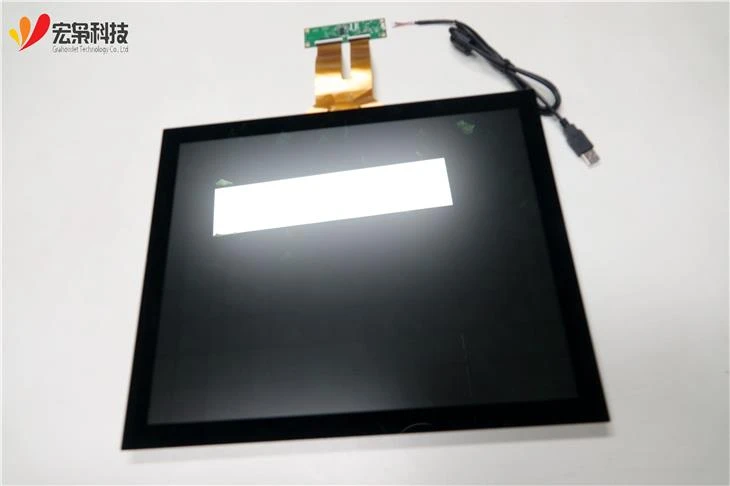
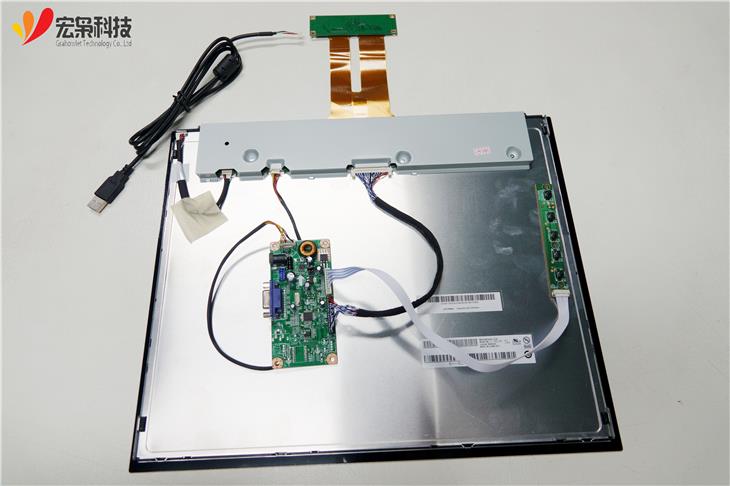
* The HX1701702 17 inch open frame LCD touch screen features a slim design and narrow outside dimensions thanks
* It's equipped with energy-saving LED backlight, using less electricity to operate and generating less heat.
* This compact touch display provides stable, drift-free operation with crystal-clear image quality.
* Reliable light transmission,accurate touch responses and vivid images
* Instantly grabbing and holding users’ attention, the 17-inch open frame is perfect for kiosks, POS,interactive device, retail self-service, and industrial automation environments.
* It has wide operating temperature range,support your device under strict environment.

| Model Number | HX1701702 |
| Brand | Grahowlet |
| Size | 17.0 inch |
| Operating Temperature | -20℃ ~ 70℃ |
| Storage Temperature | -30℃ ~ 80℃ |
| Outline Dimension | 377.00(W)x309.00(H)x21.15(D)mm |
| Viewing Area | 338.92(W)x271.30(H) mm; |
| Active Area | 337.92(W)x270.34(H) mm; |
| Support Systems | Windows/Android/Linux etc. |
| Warranty | 1 year |
| Interface Type | IIC/USB |
| Structure | G+G |
| Controller IC | ILITEK |
| Touch Points | 10 points |
| Transparency | ≥85% |
| Surface Hardness | ≥6H |
| Power Supply Voltage | 5.0 V |
| Resolution | 1280X1024 |
| Interface Type | LVDS/HDMI/VGA |
| Luminance | 350 cd/m² |
| Viewing Angle | 85/80/85/85 |

Technical Q&A
Q: What is the cause of the locally yellow spot on the display screen when the capacitive screen module is in use? How to solve it?
A: The macula is caused by the local thickness change when the LCD is pressed by the external force of the structure and not yet restored. At this moment, the light passing through the lcd is also different from other area where they are not squeezed, with the long time lighting of the screen, the temperature of the area being squeezed is higher than other place, which then forms the yellow spot. The solution to remove the macula is to find out the root cause of external force and try to get rid of it.
Q: What is the reason why the capacitive screen module appears blurred when in the assembly process or when the whole completed end product falls? What need to do to improve the situation?
A: The screen shows normal before assembled, and get to blurred when in assemble or with the whole device falling down, the reason for this is that the glass on the corner of the display is broken or the FPC is scratched , which will lead to the bad of the channels. The specific reason need to be discussed with our technicians. The corresponding measure should be taken is to strengthen for the protection of the LCM corners: first, iron frame is ensured to be wrapped on the corners of the LCM to strengthen the corner strength and reduce the corner damage caused by the deformation. Second, There should be more space left for the weaker area(like corners) of the LCM to avoid brokenness caused by collision with the adjacent support due to small deformation; The third is that the glue on the glass step is thickened to be as high as the polarizer surface, reducing the amount of deformation of the glass during the drop.
Hot Tags: 17 touch screen, China 17 touch screen suppliers, manufacturers, factory


